Matter
Pair Matter lights, sockets, locks, blinds, thermostats and sensors straight to Domnia, or share ones already in Apple Home, Google Home, Alexa or SmartThings.
 Domnia
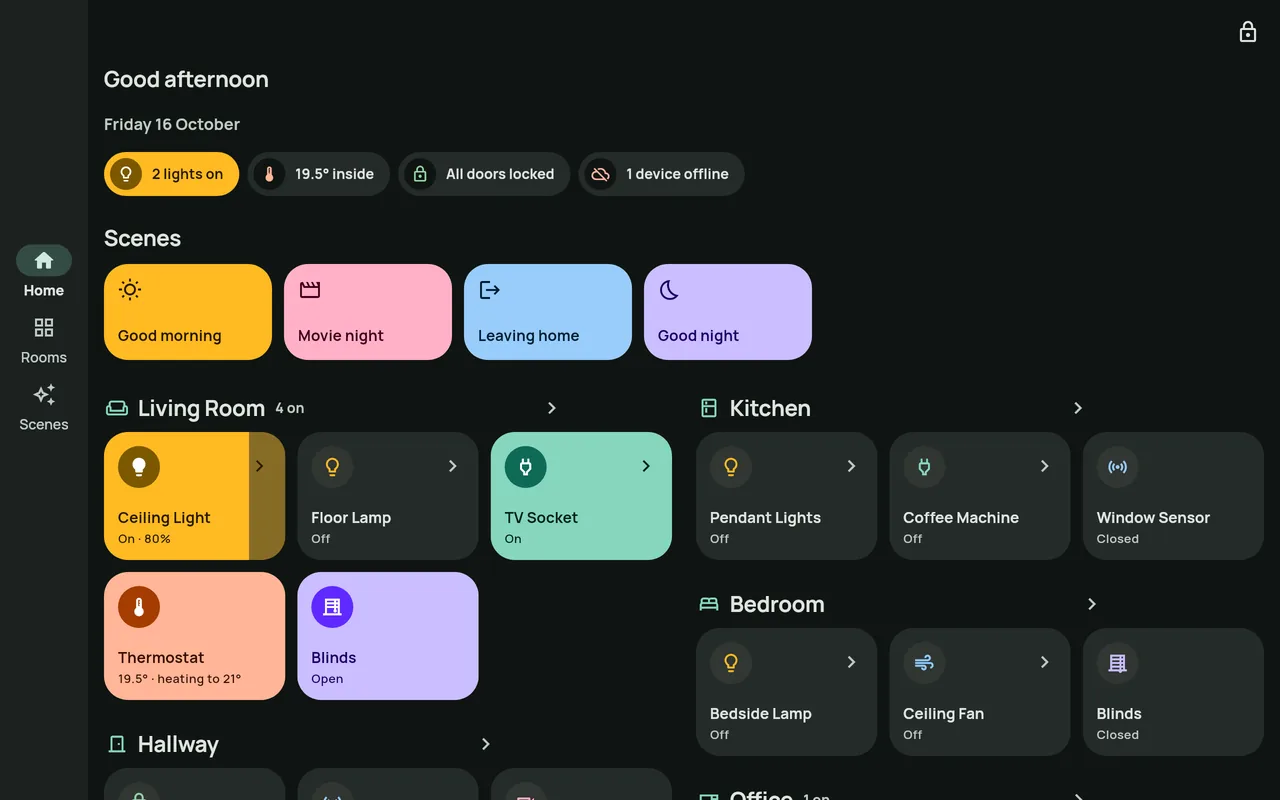
Domnia brings the smart devices you already have into one calm, beautiful app, on your phone, tablet or a wall panel by the door.
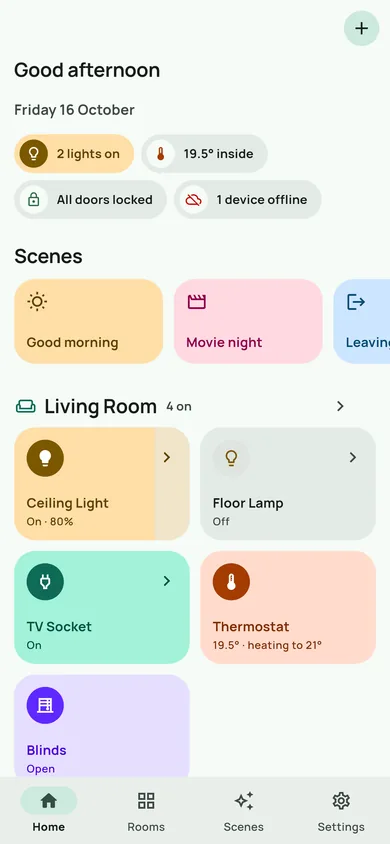
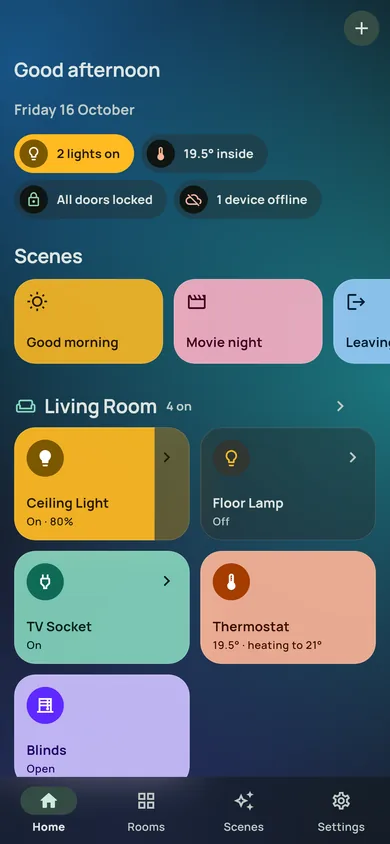
Domnia doesn't make devices of its own. It connects to the hubs and devices already in your home, and shows them together, room by room.
Pair Matter lights, sockets, locks, blinds, thermostats and sensors straight to Domnia, or share ones already in Apple Home, Google Home, Alexa or SmartThings.
Thousands of devices from hundreds of brands, including Zigbee, Z-Wave and Matter, through your Home Assistant server.
On iPhone and iPad, everything in the Home app.
Relays, sockets, dimmers, shutters and LED lights, straight over Wi-Fi. No hub needed.
The items and rooms in your openHAB server.
Some devices, such as Zigbee, Z-Wave and Thread devices, need a compatible hub, bridge or border router in your home.
Turn a spare tablet into a control panel by the front door.
There is no Domnia account, no analytics and no advertising. Domnia talks to your devices directly or through your own hub, and keeps passwords and tokens in your device's secure storage. Read the privacy policy.
The same guides are in the app, under Settings › Help & support.
Arrange Home your way: tap the arrange button at the top of Home, then hold a tile and drag it to move it, or use its corner button to make it small, wide, tall or large.
Prefer a token? Choose Use an access token instead, and paste a long-lived access token from your Home Assistant profile (Security tab).
Already in Apple Home, Google Home, Alexa or SmartThings? Turn on pairing mode for it there, then choose Already in another app in Domnia and enter the code.
Automations run while Domnia is open on that device, so they suit a wall panel. They never unlock a door.
Check that it has power and that its own app can reach it. Then check that the hub it uses (such as Home Assistant) is on. If every device from one connection stops at once, the hub or your Wi-Fi is down: Domnia shows a message on Home and reconnects by itself.
Make sure the address opens Home Assistant in your phone's browser, including :8123 if you use it. If signing in doesn't bring you back to Domnia, choose Use an access token instead and paste a token from your Home Assistant profile. Plain http:// addresses only work on your home network.
Your phone must be on the same Wi-Fi as the device, and some routers block devices finding each other. Use Add by address with the address shown in the device's own app.
Yes. Tap the arrange button at the top of Home. Hold a tile and drag it to move it, or use its corner button to make it small, wide, tall or large. A tall light becomes an upright dimmer. Tap Done when it looks right.
Yes. Pair them straight to Domnia in Settings › Connections › Matter devices. Devices already in Apple Home, Google Home, Alexa or SmartThings can be shared to Domnia and keep working there too.
Yes, with automations on the Scenes tab: for example, when the front door opens after dark, turn on the hall light for five minutes. They run while Domnia is open on that device.
Timed scenes and automations run while Domnia is open on that device, so they suit a wall panel that stays on. For ones that must always run, create an automation in Home Assistant.
Yes, if your hub can be reached from outside, such as Home Assistant with a cloud or outside address. Shelly, WLED and openHAB on your home network only work while you are at home.
On a phone or tablet, uninstall and reinstall Domnia, then connect again. A dedicated, installer-locked panel needs a factory reset; ask your installer.
Your rooms, scenes, automations and look come across with your phone's own backup. Passwords and Matter pairings stay on the old device to keep them safe, so sign in to your hubs again and pair Matter devices again on the new one. A device that was only in Domnia needs resetting first.
Yes. There is no Domnia account and nothing is tracked. Domnia talks to your devices directly or through your own hub, and keeps passwords and tokens in secure storage on this device.
The quickest way is from the app, so your message includes what we need to help:
Or email us directly
info@mywellmate.comWellmate Group. Please tell us your phone or tablet model, and which hub or devices are involved.